14 Sep
SEO Title: QR Codes for Small Businesses: Turn Scans into Measurable Leads
SEO Meta Description: Learn how to use QR codes for small business marketing. Turn physical scans into measurable bookings, reviews, and leads with one clear, trackable action.
Recommended URL Slug: /qr-codes-small-business-lead-generation/
Target Persona: Local service and professional-business owners
Primary Intent: QR codes for small business marketing; QR code lead generation
Supporting Terms: QR code marketing ROI, quishing prevention, scan-to-conversion, physical-to-digital marketing, measurable customer actions, QR code safety check.
Excerpt
A QR code is not a marketing strategy; it is a bridge. For local service and professional-business owners, the value of a QR code isn’t in the scan itself, but in the measurable action that happens immediately after. This guide explains how to move beyond “Scan Me” and build a high-conversion QR campaign that turns physical touchpoints into trackable revenue opportunities.
QR Codes for Small Businesses: How to Turn a Scan Into a Booking, Review, or Lead You Can Measure
If you walk through any local business district today, you will see QR codes on shop windows, restaurant tables, real estate signs, and service vehicles. With over 102.6 million US QR scanners projected by 2026, the technology has moved from a pandemic-era necessity to a permanent fixture in the small business marketing toolkit [1].
However, many business owners are still treating QR codes as digital wallpaper—adding them to flyers or business cards without a clear plan for what happens next. A scan that leads to a generic homepage is a missed opportunity.
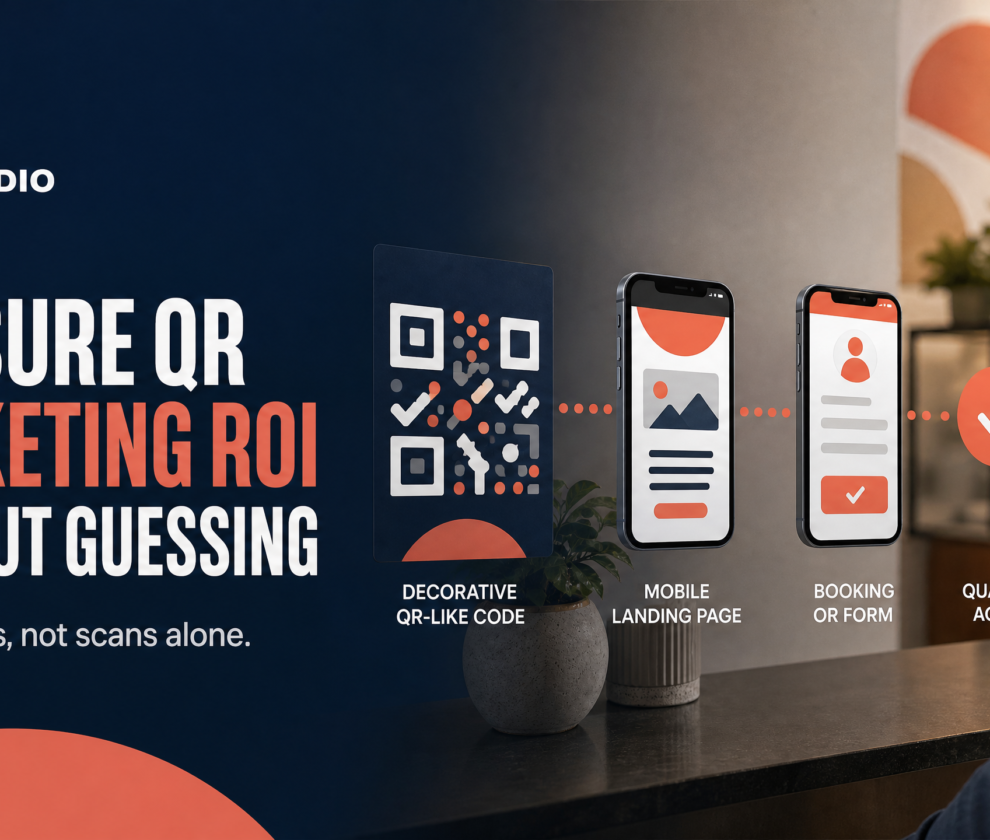
The core answer for any successful QR campaign is simple: One QR code should lead to one clearly valuable action that can be tracked from scan through conversion.
Whether you are an HVAC contractor looking for job-site bookings or a law firm seeking consultation requests, your QR codes must do more than just “link to a website.” They must drive a measurable business outcome.
The “One Code, One Action” Principle
The most common mistake in QR code marketing is trying to do too much. When a customer scans a code on a job-site sign or a business card, they are often in a “mobile moment”—they are on their phone, likely outdoors or in transition, and they have a limited attention span.
If your QR code opens a complex website with multiple navigation options, the customer is likely to bounce. To maximize conversions, follow the “One Code, One Action” rule:
- Job-Site Signs: The code should lead directly to a “Request a Quote” form or a booking calendar.
- Business Cards: The code should lead to a digital business card (vCard) or a “Book a 15-Minute Intro” page.
- Service Invoices: The code should lead directly to a review platform (like Google Business Profile) or a “Pay Now” portal.
- Event Banners: The code should lead to a specific event registration page or a lead-magnet download.
By narrowing the focus to a single, high-value action, you reduce friction and make it easier for the customer to say “yes.”
Measuring ROI: Scans vs. Conversions
In marketing, what gets measured gets managed. Many businesses track “total scans” as their primary metric, but scans are a vanity metric. A scan tells you that someone was curious; a conversion tells you that someone is a customer.
To turn QR codes into a lead generation engine, you must use UTM tracking. This allows you to see exactly which physical asset produced which lead in your analytics dashboard.
| Physical Asset | UTM Source | UTM Medium | UTM Content | Goal |
|---|---|---|---|---|
| Direct Mail Flyer | direct-mail |
print |
spring-promo-2026 |
Quote Request |
| Service Vehicle Wrap | vehicle |
signage |
van-01-left-side |
Phone Call / Booking |
| Networking Card | networking |
business-card |
founder-card |
Consultation |
| In-Office Display | in-store |
counter-card |
review-request |
Google Review |
Pro Tip: Always use a mobile-optimized landing page. If your destination page takes more than three seconds to load on a 5G connection, you will lose up to 53% of your mobile visitors [2].
QR Safety and Trust: Protecting Your Customers
As QR codes become more prevalent, so does the risk of “quishing” (QR phishing). The Federal Trade Commission (FTC) has warned that scammers can hide harmful links in QR codes to steal personal information or install malware [3].
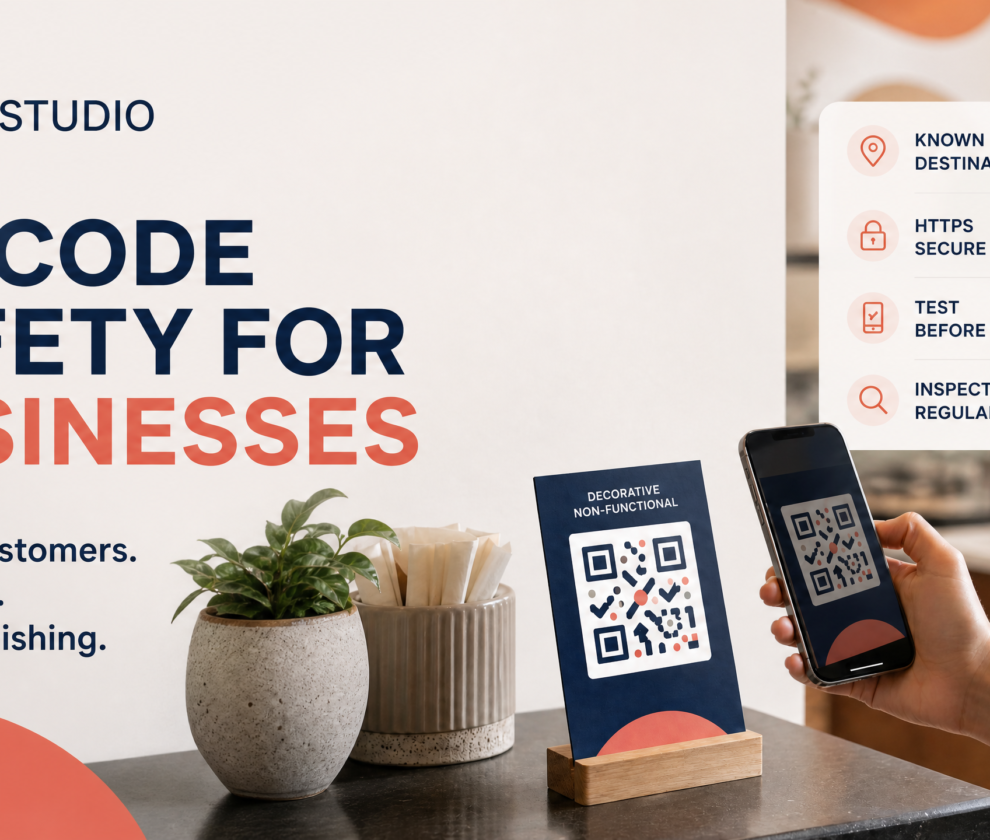
For a small business, customer trust is your most valuable asset. If a customer feels unsafe scanning your code, your conversion rate will plummet. To build trust, implement a QR Safety Check:
- Provide Context: Never just say “Scan Me.” Tell the user exactly what they will get: “Scan to book your free assessment” or “Scan to view our 2026 pricing guide.”
- Use Recognizable Branding: Ensure the landing page clearly displays your business name, logo, and contact information immediately upon loading.
- Use Secure Destinations: Only link to HTTPS URLs.
- Physical Inspection: If you use QR codes on public signage or outdoor flyers, inspect them regularly to ensure no one has placed a malicious sticker over your original code.
Scenarios: QR Codes in Action for Local Services
How does this look in the real world? Let’s look at three grounded scenarios for local service and professional businesses.
Scenario 1: The HVAC Job-Site Sign
Instead of a sign that just lists a phone number, an HVAC contractor places a large, high-contrast QR code with the text: “See why your neighbor chose us. View our recent work and book a free estimate.” The code leads to a page featuring a gallery of the current project and a simple 3-field booking form.
Scenario 2: The Legal Consultation Card
A family law attorney hands out business cards at a community event. The back of the card features a QR code with the text: “Confidential 15-Minute Case Evaluation.” The code bypasses the law firm’s main homepage and goes directly to a secure scheduling tool where the prospect can pick a time that works for them.
Scenario 3: The Healthcare Office Follow-Up
A dental practice includes a QR code on the “After-Care” instructions sheet given to patients. The text reads: “How was your visit? Leave a review and help us serve you better.” The code links directly to the practice’s Google Business Profile review page, pre-loading the review interface on the patient’s phone.
The QR Studio Scan-to-Conversion Framework
At QR Studio, we believe the code is the beginning, not the end. Our framework focuses on the entire journey:
- The Moment: Where is the customer? (e.g., standing in front of your shop).
- The Trigger: Why should they scan? (e.g., to get a 10% discount code).
- The Destination: Is it fast and mobile-friendly? (e.g., a dedicated landing page).
- The Action: What is the one thing they should do? (e.g., enter an email address).
- The Measurement: Did they do it? (e.g., tracking the conversion in your CRM).
Ready to turn your physical marketing into a digital lead engine?
Plan your QR campaign in 15 minutes
Internal Resources
- Lead Asset: Download the Scan-to-Conversion Campaign Planner
- Venture Home: QR Studio by SohoWizz
Frequently Asked Questions (FAQ)
Q: Do I need a special app to create these trackable QR codes?
A: You can use many reputable QR generators, but the key is ensuring they support dynamic links and UTM parameters. QR Studio’s consultation service helps you set up the entire tracking workflow from scan to CRM.
Q: Will older phones be able to scan my marketing materials?
A: Most smartphones produced in the last 6–8 years have QR scanning built directly into the camera app. However, it is always a good idea to include a short, memorable URL (like sohowizz.com/go) as a backup for those who prefer typing.
Q: How big should a QR code be on a sign?
A: A general rule of thumb is a 10:1 ratio. If the customer is standing 10 feet away, the QR code should be at least 1 foot square. For business cards, a minimum size of 0.8 inches (2cm) is recommended for reliable scanning.
Q: Is it better to link to my social media or my website?
A: Always link to a destination you own—like your website or a dedicated landing page. This allows you to control the tracking, the conversion environment, and the data you collect.
Author & Reviewer Box
Author: Manus AI
Reviewer: Calvert, IT Consultant & Founder of SohoWizz Technology Solutions
Status: Human-Reviewed for Technical Accuracy and Business Impact.
Disclaimer: This article provides educational information on marketing technology. It does not constitute legal, privacy, or compliance advice. Business owners should review their specific data handling and marketing practices with qualified professionals.
References
[1] QR Code Statistics 2026: 100M+ Users & Growing[2] Google: How Page Speed Affects Conversions
[3] FTC: Scammers hide harmful links in QR codes to steal your information